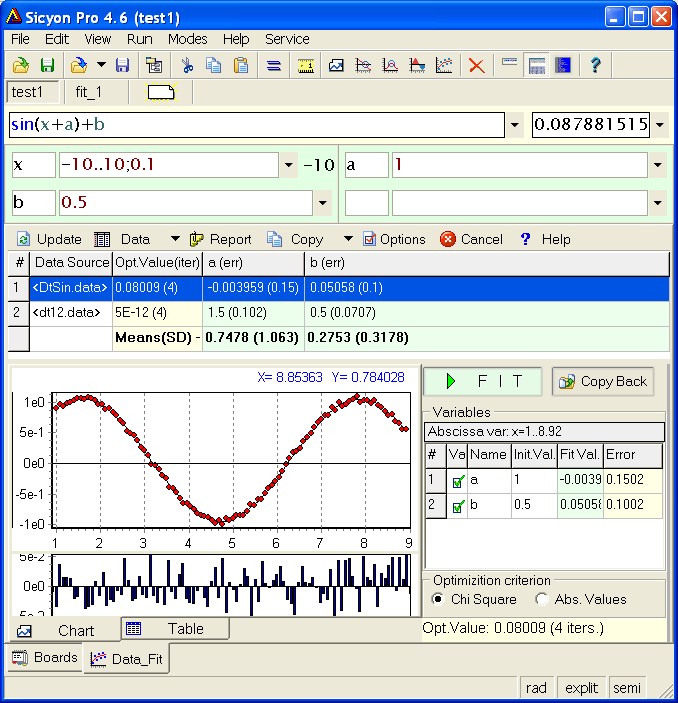
Fit data batch procedure will repeat the fitting over a series (batch) of data sets and will report the estimated coefficients and their mean / standard deviation in a table.
That procedure is very useful in routine experimental measurements, when one process is measured many times.
The way the set an expression to fit and its initial
parameters value is similar to Fit a Single Func.
To create a data batch you have to open consecutively a
series of data sources (clipboard content, data boards or files). When you open
file you could select more than one file using Shift and Ctrl key (Windows
standard).
After having your expression and data batch set, run the fit
from the green FIT button.
The results will be shown in the data batch table. Bellow the estimated coefficients you will find their mean value and standard deviation in brackets.
After having the results, click on any row of the data batch and the chart/table will update with selected data set and the respective findings.
To reset (renew) the expression press Update button, the data batch results will be cleared at the same time.
Individual data set cannot be edited once loaded, so if you would like to edit the data you have to edit the source and then reload. To clear the entire data batch close (Cancel button) and reopen the module OR just open a new data source in a browse (with results shown) mode.
The report (F7) will give you the results from selected data set. To export the entire data batch table use Copy->Sources to Clipboard menu.
Before...
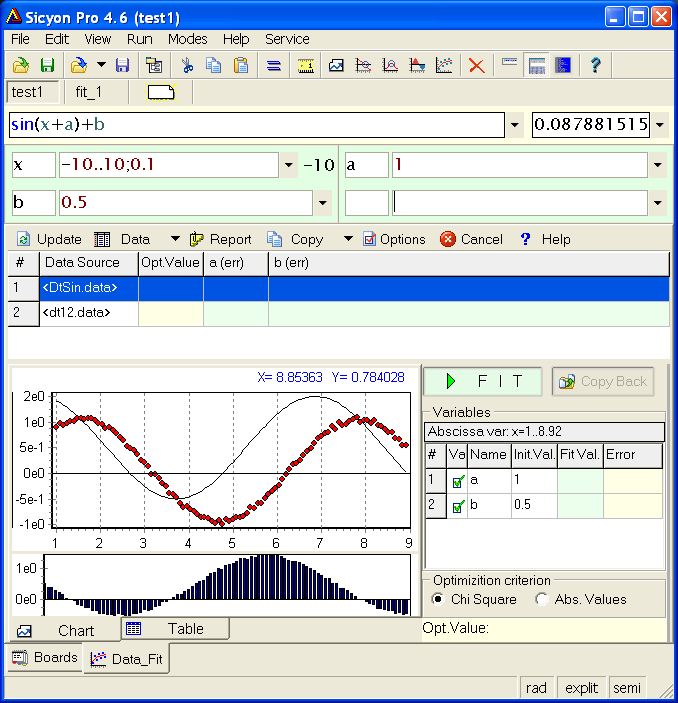
...and after.